Workflow templates (administration)
See Model a workflow template for the full editor guide.
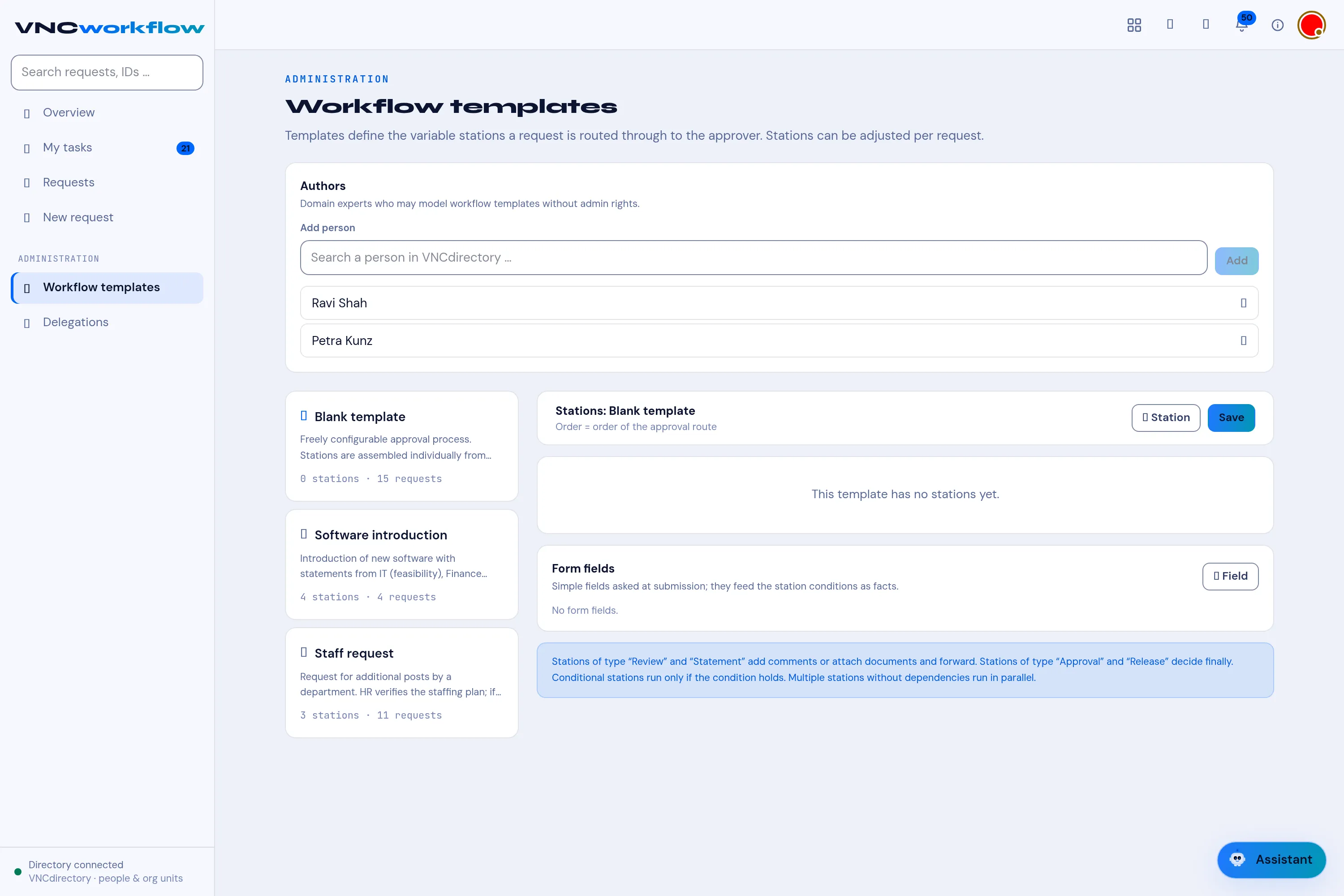
Under ADMINISTRATION → Workflow templates you define the templates that requests are started from. A template fixes the stations (the approval route) and their order; individual requests can then vary them.
Authors
Section titled “Authors”Authors are specialist users allowed to model workflow templates without full admin rights. Add one by searching a person from VNCdirectory (Add person) and confirming with Add.
Templates
Section titled “Templates”The left column lists the templates. Each shows its name, a short description, and how many stations and requests it has — for example:
- Blank template — 0 stations · 0 requests (freely assembled).
- Software introduction — 4 stations · 4 requests.
- Staff request — 3 stations · 9 requests.
Station editor
Section titled “Station editor”Selecting a template opens its route on the right. Order = order of the approval route — the order stations are listed is the order they run.
Each station has:
| Field | Meaning |
|---|---|
| Station type | The kind of station — Review, Statement, Approval or Release. |
| Organisational unit (optional) | The unit responsible. |
| Role | The role within that unit, for example Member. |
| Responsible person (VNCdirectory) | Pin the station to one person. |
| Task of this station | What the approver has to do — for example Check the staffing plan. |
| Condition (optional) | A condition for the station. |
Use + Station to add a station and Save to save the template. Form fields define the facts asked at submission; they feed the station conditions. The footer note explains the station types: Review and Statement stations add comments or attach documents and forward; Approval and Release decide finally; conditional stations run only if the condition holds; stations without dependencies run in parallel.