Mute a member in a room
A moderator can mute a member who is disrupting a room. A muted member stays in the room and can read, but cannot post until a moderator unmutes them.
Before you start
Section titled “Before you start”The room must be read-only for muted members. Rooms created in VNCchat have this setting on. For an older room, open the room’s General settings, turn on Read-only for muted members, and select Save. This is a one-time change for that room.
Mute a member
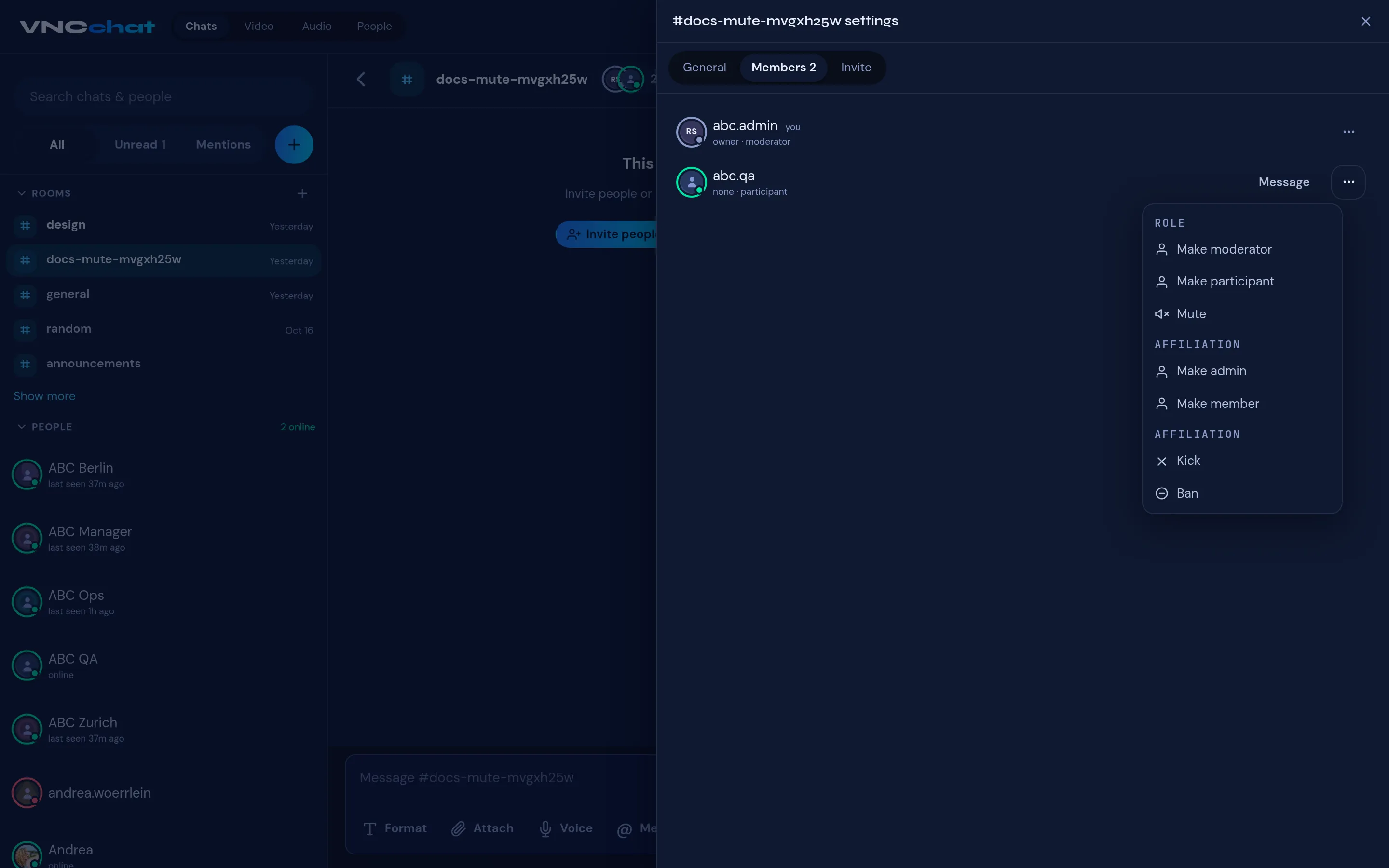
Section titled “Mute a member”- Open the room and select Room settings.
- Open the Members tab.
- Find the person, open the row menu (⋯), and choose Mute.
- Their role changes to visitor. VNCchat tells them they are muted and disables their message box.
To let them post again, open the same row menu and choose Unmute.
What mute does — and does not do
Section titled “What mute does — and does not do”- A muted member stays in the room and can read the conversation.
- Mute applies to the current session. If the same person is signed in in another tab or on another device, or leaves and rejoins, they can post again.
- If someone must not return to the room, use Ban instead of Mute.