The Knowledge Graph
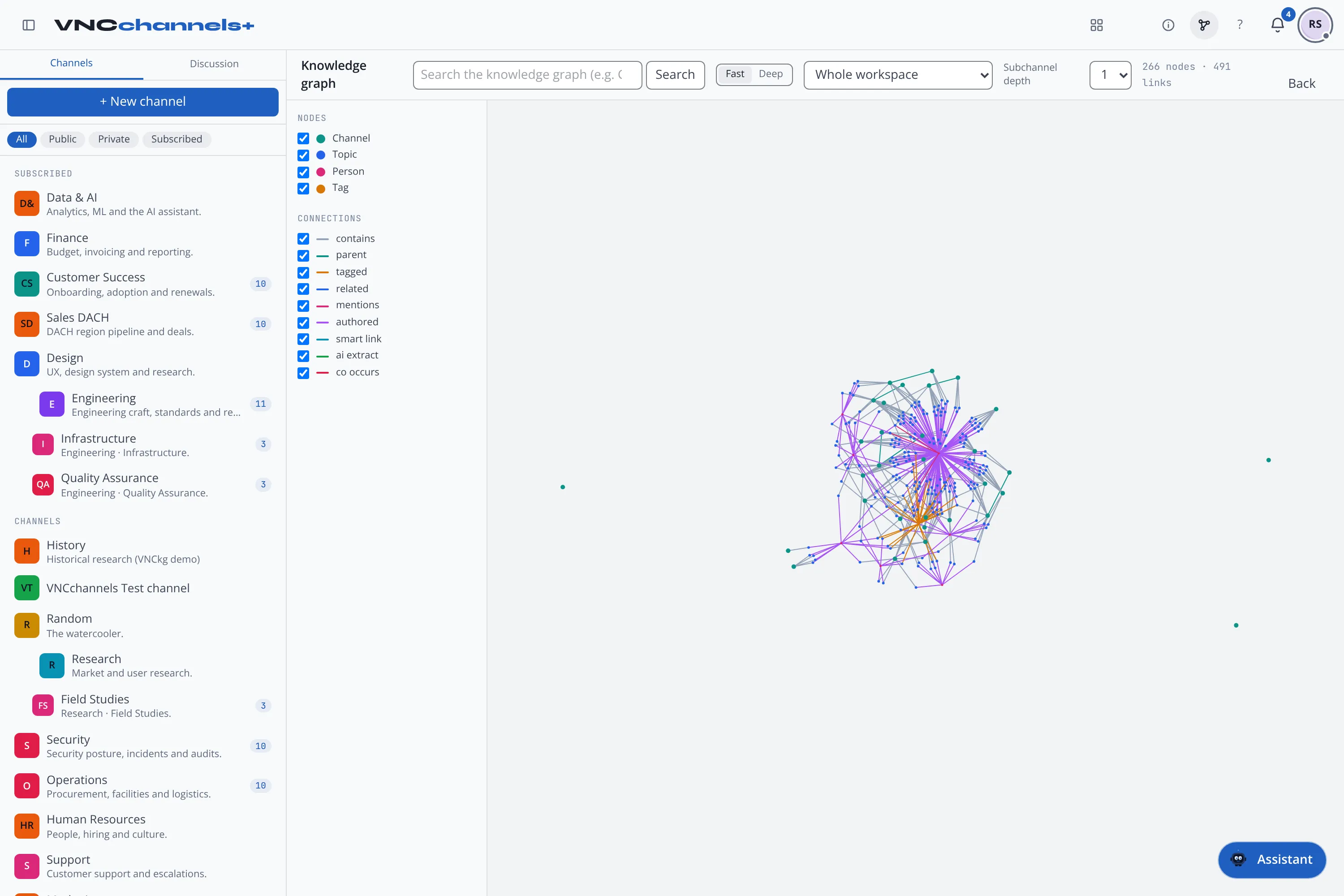
The Knowledge Graph is a suite-wide module: one private index of your organisation’s content and how it connects. Instead of each product keeping its own silo, people, documents, topics and events — and the links between them — live in one graph you can search and explore.
Entities and relations
Section titled “Entities and relations”- Entities — people, organisations, places, events, concepts, files and topics.
- Relations — how they connect: contains, authored, mentions, tagged, related, co-occurs, and AI extract (connections the platform records automatically from a topic’s or document’s content).
What feeds it
Section titled “What feeds it”Products contribute to the graph as you work — quietly, in the background:
- VNCchannels — topics, and the ai extract connections from their content (the channels knowledge graph).
- VNCfiles — file and folder names, and their contents where they can be read (with OCR for scans); end-to-end-encrypted folders are never read (how files feed the graph).
- VNCcontacts, VNCcrm, VNCproject, VNCtask and VNCmail — people, organisations, work items and calendar events.
You do not switch this on; it travels with the content and is fire-and-forget — if the graph is briefly unavailable, your save still succeeds and is retried.
Where you use it
Section titled “Where you use it”- In the product — VNCchannels draws the graph beside a topic and for a whole workspace, and answers “Ask the graph a question” (AND/OR search).
- VNCfluid — the Relations explorer — a tenant-wide view: type any name or phrase, resolve it, and explore its relations as a graph (the explorer).
- Search and the assistant — cross-suite search and the assistant draw on the graph, so content added in one product is findable in another.
Availability
Section titled “Availability”The cross-product graph runs as a service and is included with a Professional (or higher) package; where it is not available the graph search box is hidden — the in-product links still work.
Sovereignty
Section titled “Sovereignty”The graph is part of your own deployment. AI extract follows your organisation’s AI policy (see AI options in VNClagoon), and end-to-end-encrypted content is never read or indexed.