Synced files and the Sync console
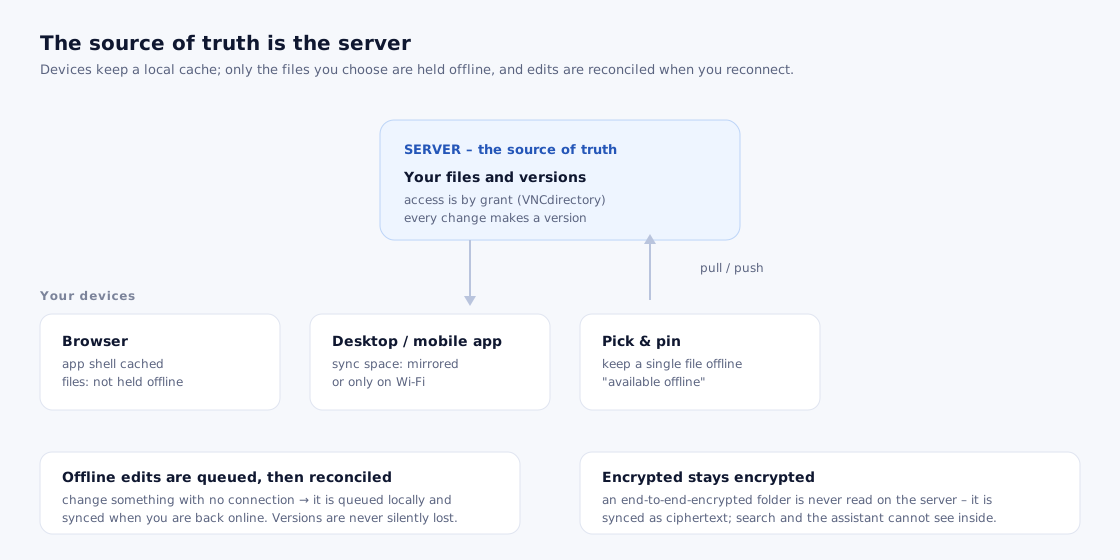
A sync space is a folder that is kept in step across your devices. In the sidebar, Synced with this device (under Locations) shows the files inside your sync spaces, and Devices & sync (in the footer) opens the management panel.
The view
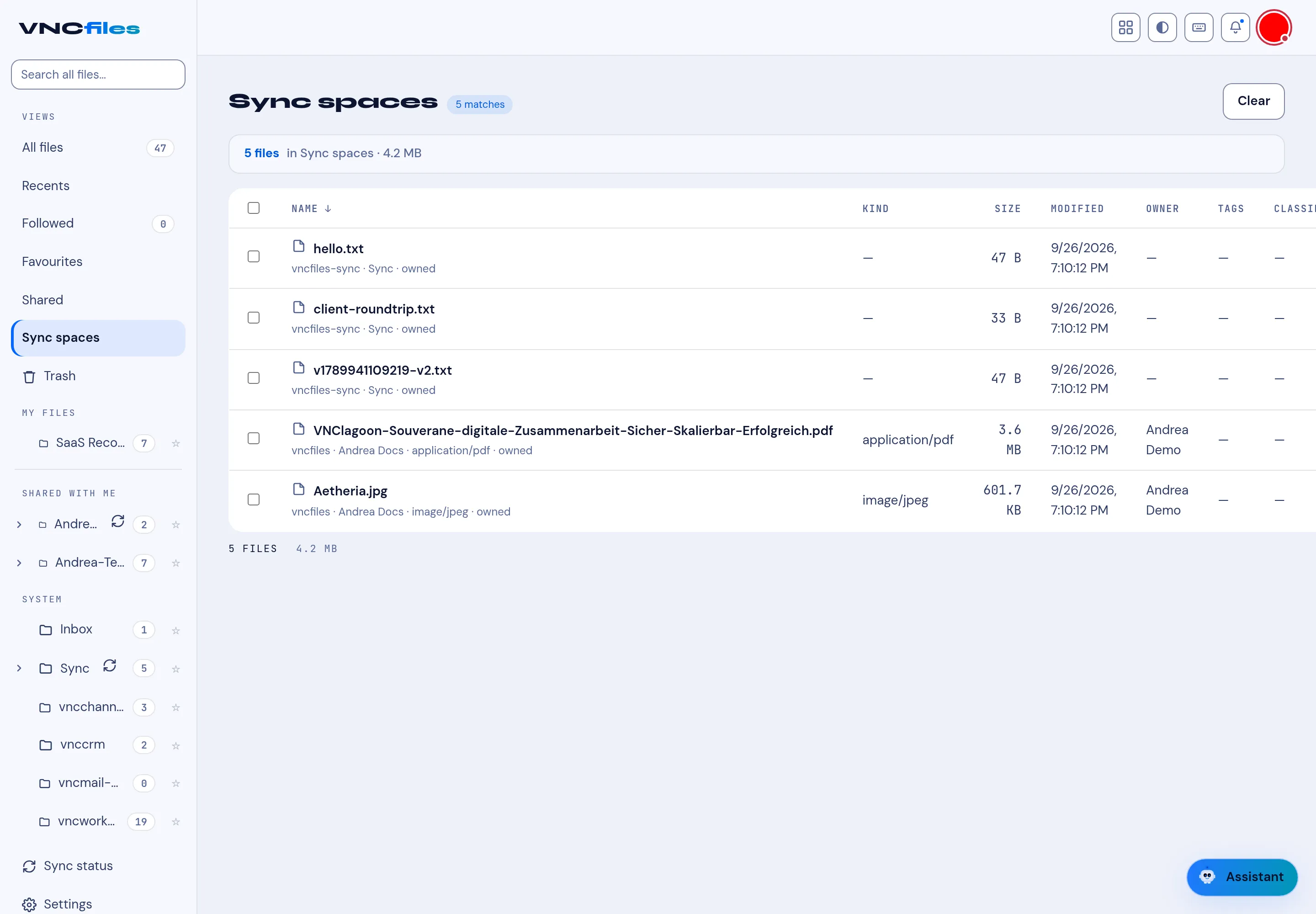
Section titled “The view”Select Synced with this device in the sidebar. The header shows the count and size - for example 5 files · 4.2 MB - and the list uses the same columns as Home: NAME, KIND, SIZE, MODIFIED, OWNER, TAGS and CLASSIFICATION.
Each row also names its space and origin, for example:
hello.txt-vncbfiles-sync · Sync · ownedVNClagoon-…pdf-vncbfiles · Andrea Docs · application/pdf · owned
The sidebar groups
Section titled “The sidebar groups”| Part | Contains |
|---|---|
| Lenses | Home, Recents, Shared with me, Favourites. |
| Locations | My files (the Followed filter + your folders), Shared by me, Synced with this device, Shared with me (folders), From apps. |
| Collections | Your saved lists. |
| Footer | Trash, Devices & sync, Settings, Audit log (admins). |
From apps holds the app-owned folders - Transfers and per-app spaces (vncchannels, vnccrm, vncmail-plus, vncworkflow, …).
A sync glyph marks the spaces that sync. Open Devices & sync for pending uploads, conflicts, devices and each space’s recent runs (an already-in-sync run reads in sync).