Event reminders
A reminder alerts you a set time before an event starts. You can add several to one event, and set defaults per calendar.
Add a reminder to an event
Section titled “Add a reminder to an event”-
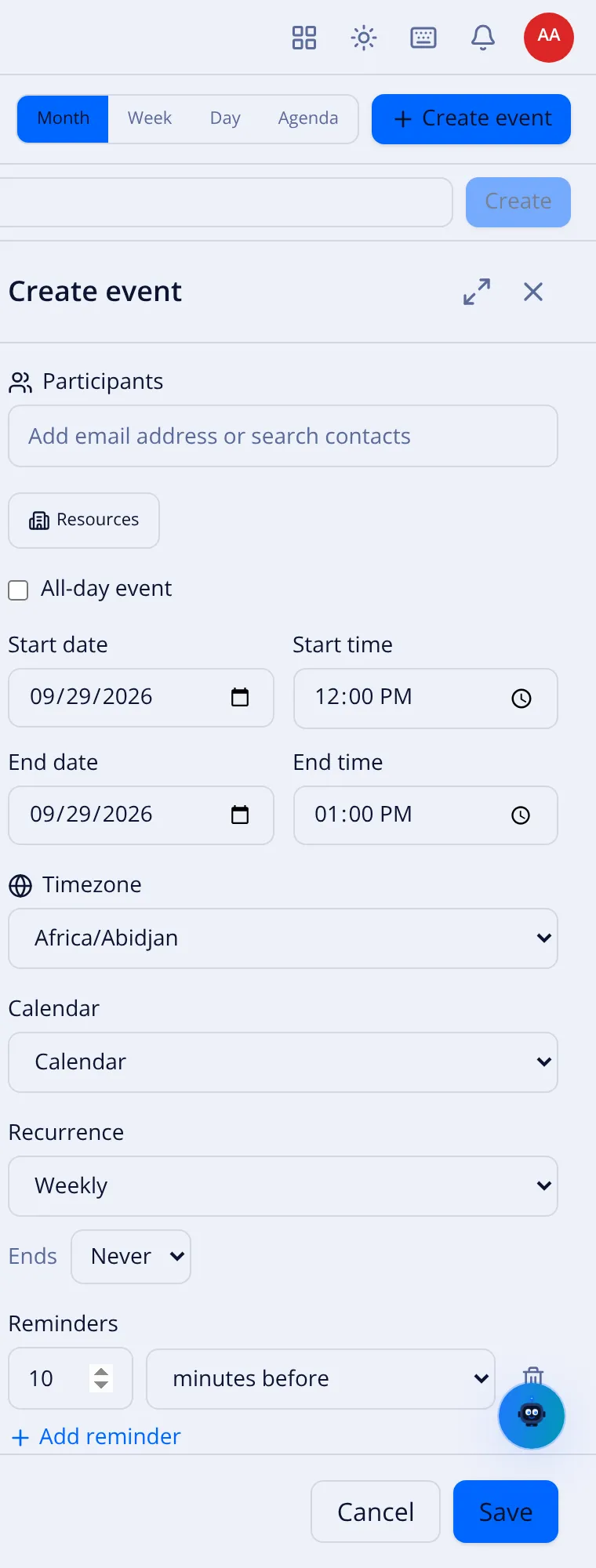
Open the event (or + Create event).
-
In the Reminders section, select + Add reminder.
-
Set the number and the unit:
Unit Meaning At time of event Alerts exactly when it starts. minutes before e.g. 10 minutes before. hours before e.g. 1 hours before. days before e.g. 1 days before. weeks before e.g. 1 weeks before. -
Add more if you like — for example 1 day before and 15 minutes before. The trash icon on a row removes it.
-
Save.
Defaults per calendar
Section titled “Defaults per calendar”Instead of setting reminders on every event, set them once for a calendar in the calendar’s settings. New events on that calendar then inherit the defaults (events with times and all-day events can have different defaults). An event can still override them.
How you are alerted
Section titled “How you are alerted”Reminders appear as notifications in VNCmail (and the suite bell). Alerts fire once and are marked acknowledged; a reminder missed by more than a short window is not shown late. → Notifications