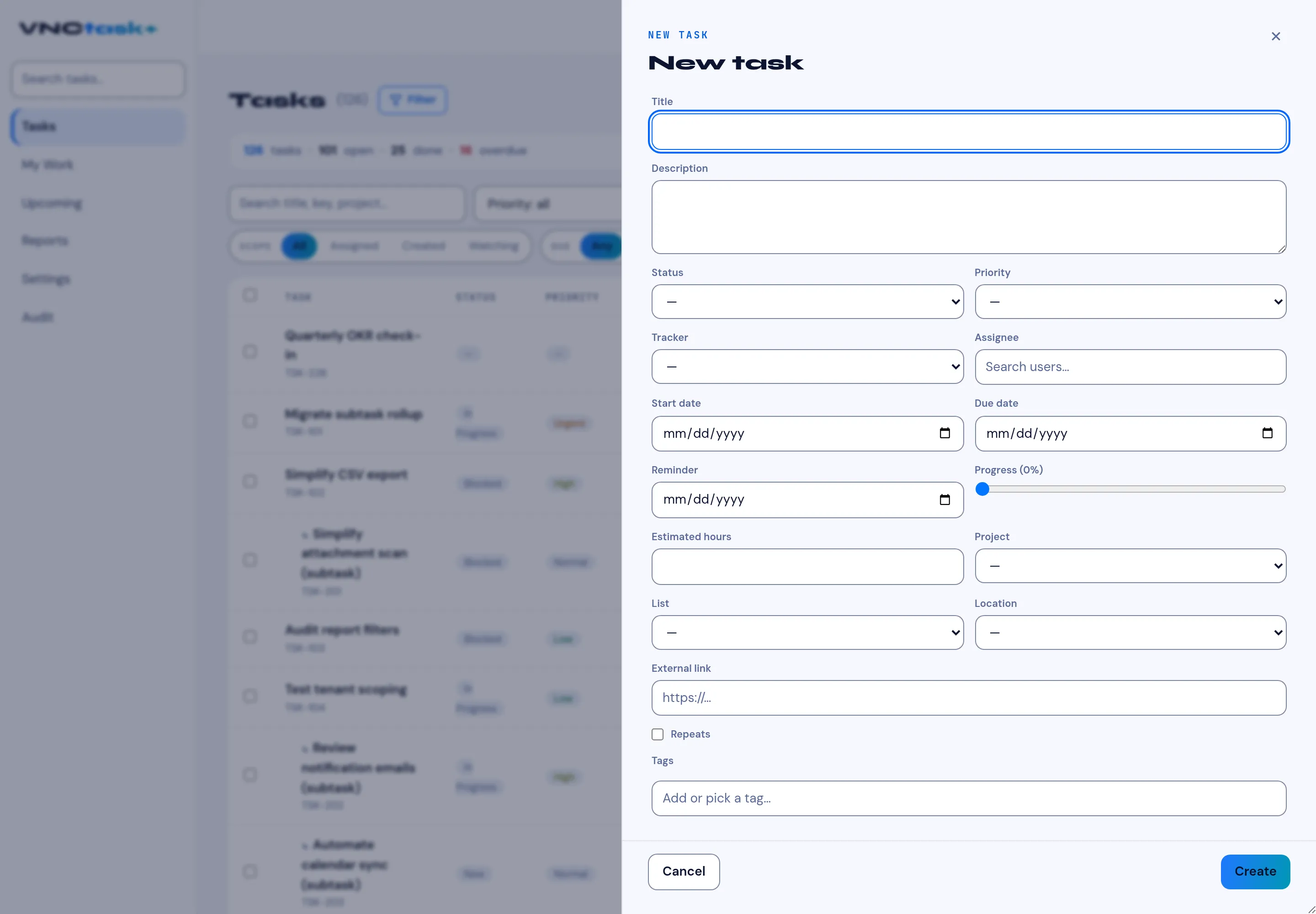
The New task form
+ New task opens the create form on the right.
| Field | Meaning |
|---|---|
| Title | The task name (required). |
| Description | Free text describing the work. |
| Status | New, In progress, In review, Blocked, Resolved, Closed - see Statuses and priority. |
| Priority | Low, Normal, High, Urgent. |
| Tracker | The kind of task. |
| Assignee | Search users… to assign an owner. |
| Start date / Due date | The working window. |
| Reminder | When to be reminded. |
| Progress (0%) | A slider for percent complete. |
| Estimated hours | The effort estimate. |
| Project / List | Where the task lives. |
| Location | An optional location. |
| External Link | A URL related to the task. |
| Repeats | Make the task recurring. |
| Tags | Add or pick a tag… |
Select Create to save, or Cancel to discard. Subtasks are created from a task’s own page.