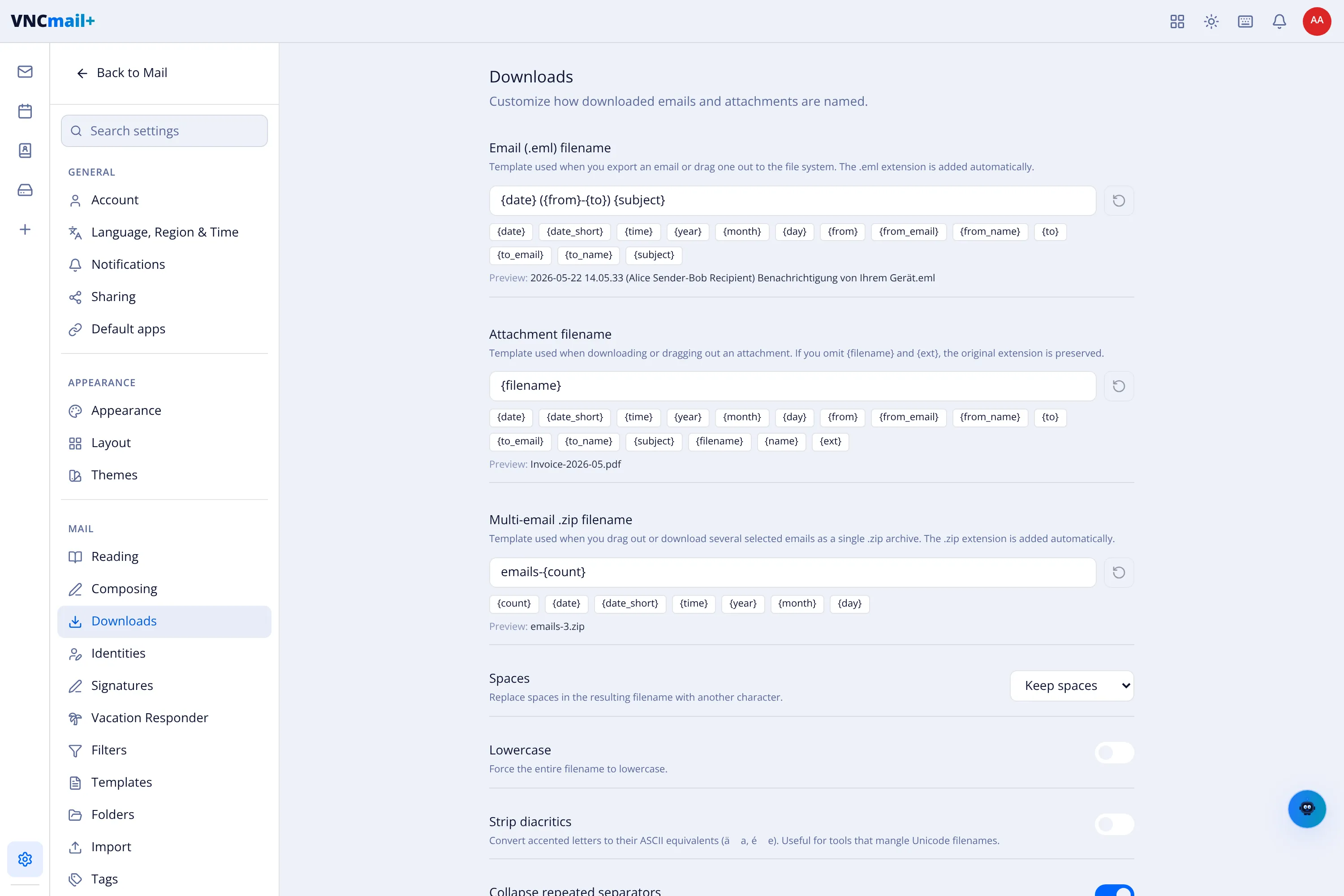
Download filename templates
Settings → Downloads decides how exported emails and attachments are named. Each field is a template made of tokens; a preview shows the result.
Templates
Section titled “Templates”| Field | Adds | Example |
|---|---|---|
| Email (.eml) filename | Used when you export an email or drag it to the file system. .eml is added automatically. |
{date} ({from}-{to}) {subject} → 2026-05-22 14.05.33 (Alice Sender-Bob Recipient) Benachrichtigung….eml |
| Attachment filename | Used when downloading or dragging out an attachment. Omit {filename}/{ext} to keep the original name and extension. |
{filename} → Invoice-2026-05.pdf |
| Multi-email zip filename | Used when you drag out or download several emails as one archive. .zip is added automatically. |
emails-{count} → emails-3.zip |
Tokens
Section titled “Tokens”Date & time: {date}, {date_short}, {time}, {year}, {month},
{day}. People: {from}, {from_email}, {from_name}, {to}, {to_email},
{to_name}. Content: {subject}, {filename}, {name}, {ext},
{count}.
Cleanup options
Section titled “Cleanup options”| Option | Does |
|---|---|
| Spaces | Keep spaces, or replace them with another character. |
| Lowercase | Force the whole filename to lower case. |
| Strip diacritics | Convert accented letters to ASCII (é → e). |
| Collapse repeated separators | Turn runs of spaces, underscores or dashes into one. |