Views and file fields
Lenses and Locations
Section titled “Lenses and Locations”The sidebar puts the lenses (views over the same files) at the top and your Locations below them. Lenses never move anything.
| Lens | Shows |
|---|---|
| Home | Your starting view (the flat list is reachable as an empty search). |
| Recents | Recently touched. |
| Shared with me | Items others shared with you. |
| Favourites | Starred. |
Locations groups your files by ownership: My files (your folders, with the Followed filter), Shared by me, Synced with this device, Shared with me (folders), and From apps (app-owned folders). The footer holds Trash, Devices & sync, Settings and, for administrators, Audit log.
Storage filter
Section titled “Storage filter”Inside a folder, Storage = All / Owned / Referenced.
File columns
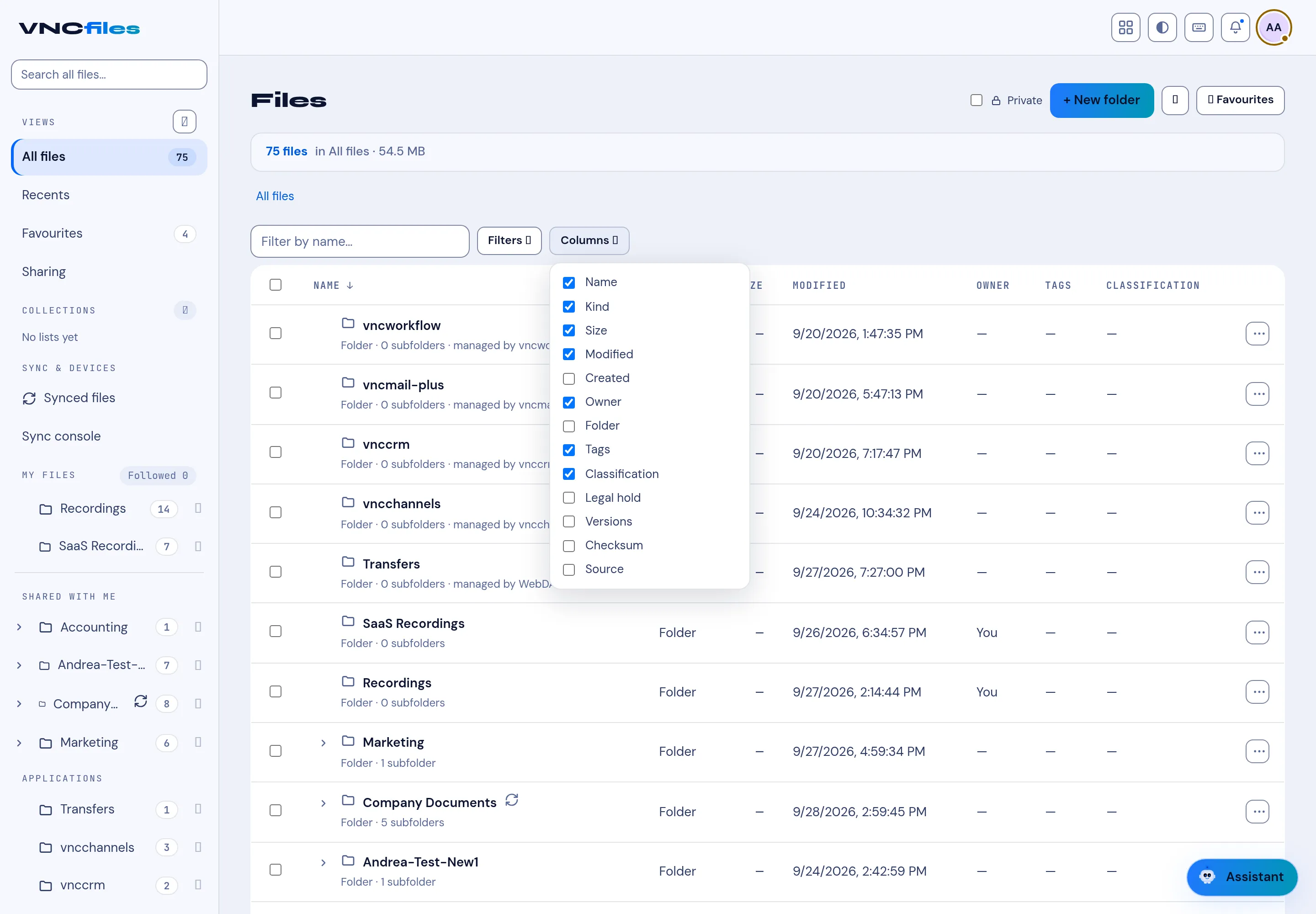
Section titled “File columns”The list shows these columns, and Columns chooses which are visible:
- Name, Kind, Size, Modified, Created.
- Owner, Folder, Tags, Classification.
- Legal hold, Versions, Checksum, Source (files that came in through a connector keep their origin).
The folder header shows the count and total size (for example 2 files · 4.2 MB).
If your organisation defines custom fields, they can be shown as columns too (from Columns) and used in filters - see A file’s rating, notes and custom fields.
Collections
Section titled “Collections”Collections in the sidebar are manual My Library lists - pick files and folders into named lists, independent of where they live. They start empty (No lists yet) and are yours alone.
Controls
Section titled “Controls”- + New folder, + Upload.
- Filter by name, Filters, Columns.