Ask your files
Ask your files answers questions about your own files, with citations, and is read-only - it never changes anything. Only files you can access are considered, so it can never surface something you are not allowed to see.
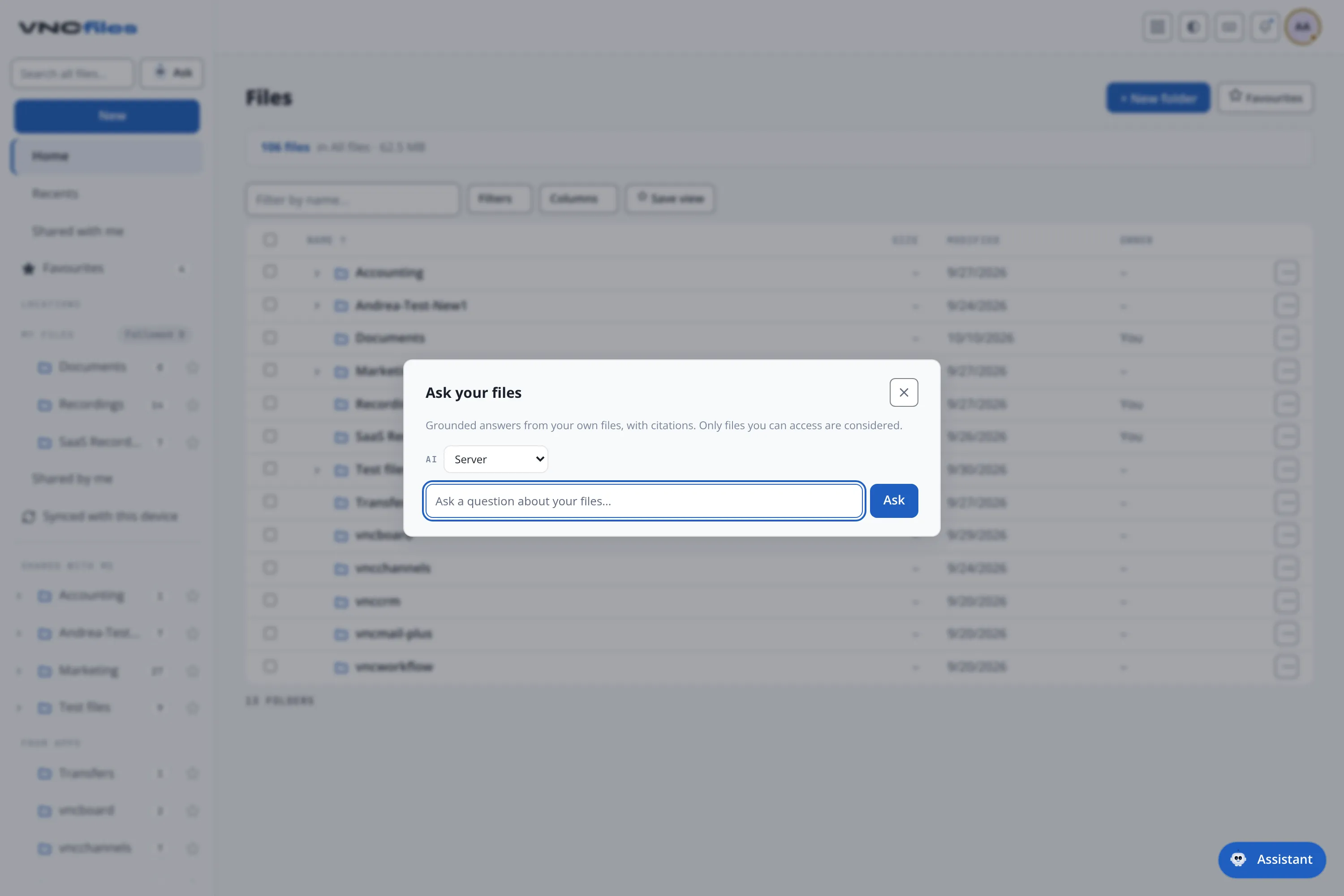
Open it
Section titled “Open it”Ask your files lives in the sidebar, next to the Search all files… box – a small Ask button in the same row. Typing a question into the search box followed by ⌘/Ctrl + Enter opens the assistant with that question. The sidebar search is global (across everything you can see), and the assistant follows the same scope.
What you get
Section titled “What you get”- An answer grounded in your files - the wording comes from the files it found, not from general knowledge.
- The source files it used, listed as citations. Select a file to open it.
- An honest “no matches” when nothing relevant is found, rather than a nearest-but-unrelated guess.
How it works (in one paragraph)
Section titled “How it works (in one paragraph)”The assistant does two passes over the registry: a meaning pass (semantic similarity - the same index that powers “search by meaning”) and a name pass (lexical terms). It then answers from the files those passes retrieved, and cites them. If the semantic index is unavailable it falls back to the name pass, so the assistant still works - it just relies on names rather than content. The wait is bounded: if it cannot answer in time you get a “try again” instead of a spinner that never ends.
Where the answer is written
Section titled “Where the answer is written”The answer can be written in one of two places:
- Server - the suite’s own inference (the default), so the answer comes from the same place as the rest of the suite’s AI.
- Local - an optional setting that runs the answer on your own computer; the files are still found in the suite (and stay scoped to what you can access), but the wording is produced on your machine and the prompt does not leave it. Choose a local model first; without one the assistant asks you to pick one.
For background on local file access, see Offline access and the app shell.
Good to know
Section titled “Good to know”- Read-only: it answers; it does not edit, move, share or delete.
- Access-scoped: the folder rights of the suite apply, exactly as they do in the file list.
- The floating assistant in the corner is the suite-wide helper; this Ask is scoped to your files.