Organize subchannels
A subchannel nests under a parent channel, so a large area stays navigable — for example Research › Field Studies.
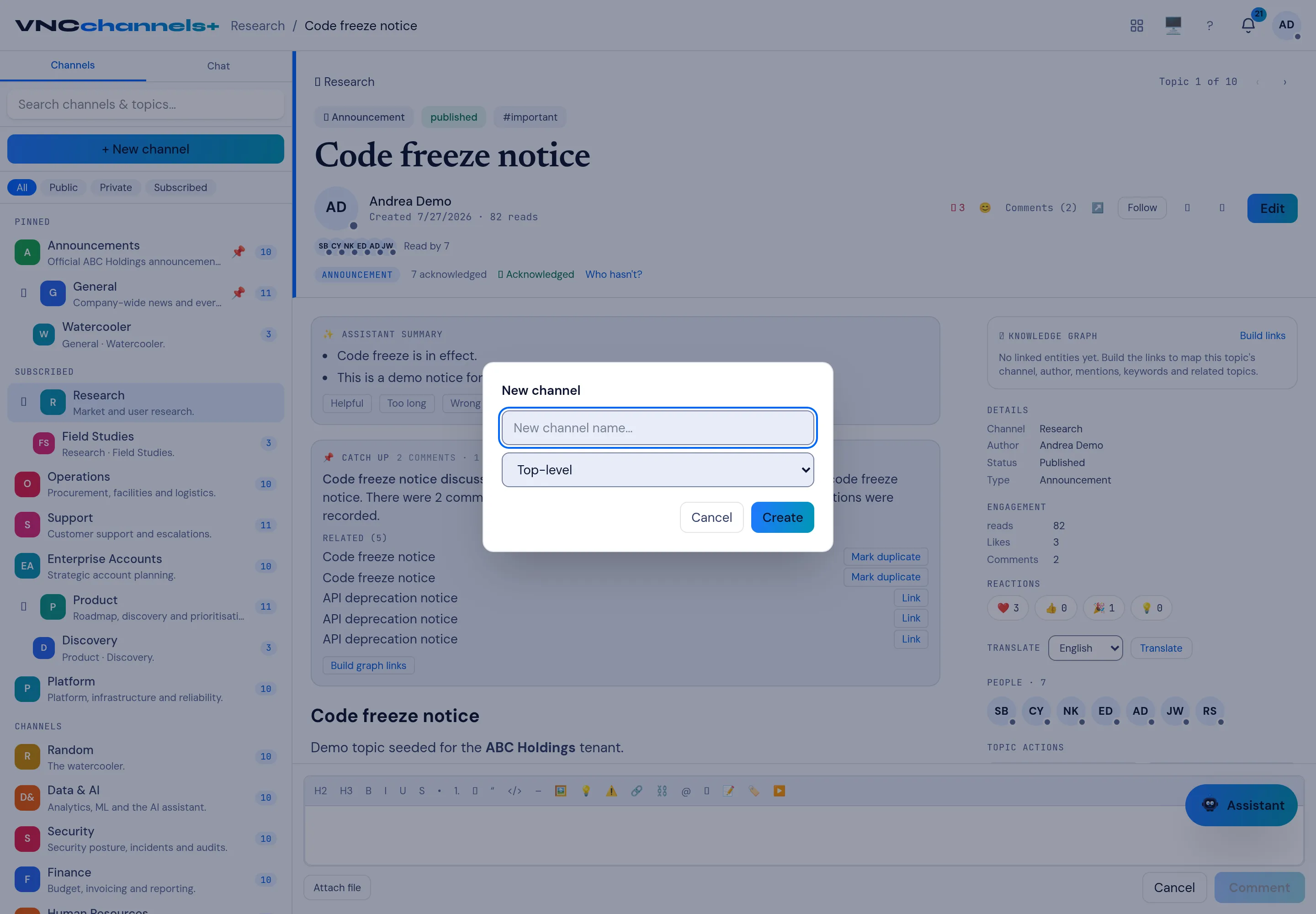
- Create a channel with + New channel, or add one to an existing parent from its row (+ New subchannel).
- In the New channel dialog, set the parent (instead of Top-level) to the channel it should live under.
- Select Create.
Audience and sharing
Section titled “Audience and sharing”A subchannel inherits its parent’s audience and can only be narrower, never wider. By default, sharing the parent also reaches its subchannels; the parent’s Settings switch Subchannels inherit this channel’s members turns that off.
Result
Section titled “Result”The subchannel appears indented under its parent in the sidebar, and the parent can be collapsed with the caret. Topic counts roll up the tree so you can see activity without expanding every channel.