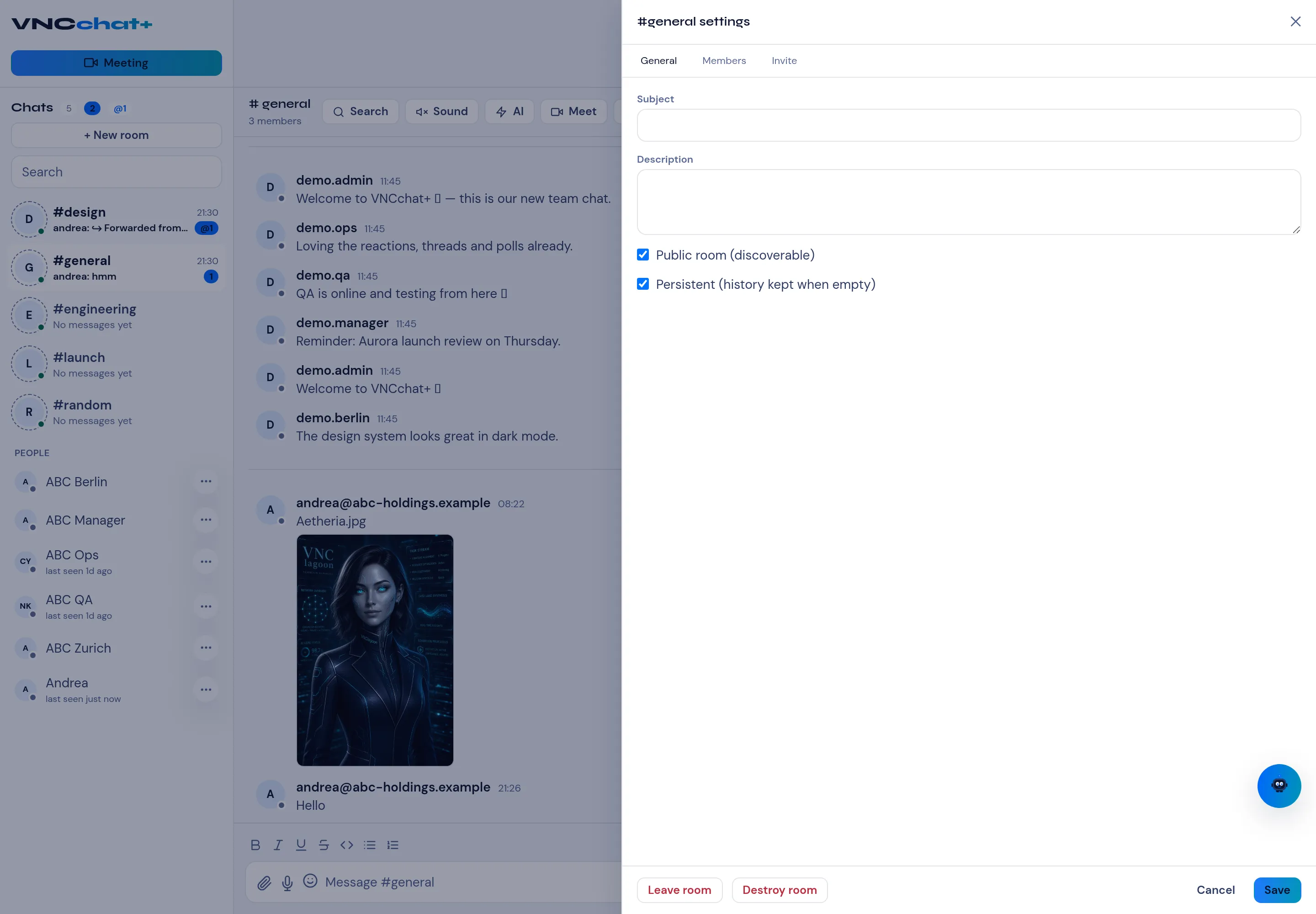
Room settings
Open a room’s settings from the command palette (Room settings) or the room’s More menu. The panel has three tabs: General, Members and Invite.
General
Section titled “General”| Field | Meaning |
|---|---|
| Subject | A one-line topic for the room. |
| Description | A longer description shown to members. |
| Public room (discoverable) | The room can be found and joined by others. |
| Persistent (history kept when empty) | Keep the history even when no one is in the room. |
| Read-only for muted members | A muted member (role visitor) can read but not post. On for new rooms; older rooms need this switched on once and saved. |
Select Save to apply.
Members and Invite
Section titled “Members and Invite”Members lists who is in the room and their roles. The row menu (⋯) lets a moderator change a role, Mute or Unmute a member, kick them, or ban them. Invite adds people — see Invite members.
Lifecycle
Section titled “Lifecycle”- Leave room — forget the room for yourself; the room and its history stay for everyone else.
- Destroy room — remove the room for everyone (owner only). The room is also
hidden from your own room list so your client does not re-join and re-create it.
A room that is part of the cell’s default room list (
VNCCHAT_ROOMS) is still re-created when another user’s client joins it; remove it from the cell chart values as well to delete a default room permanently. Destroying does not purge the archived MAM history.