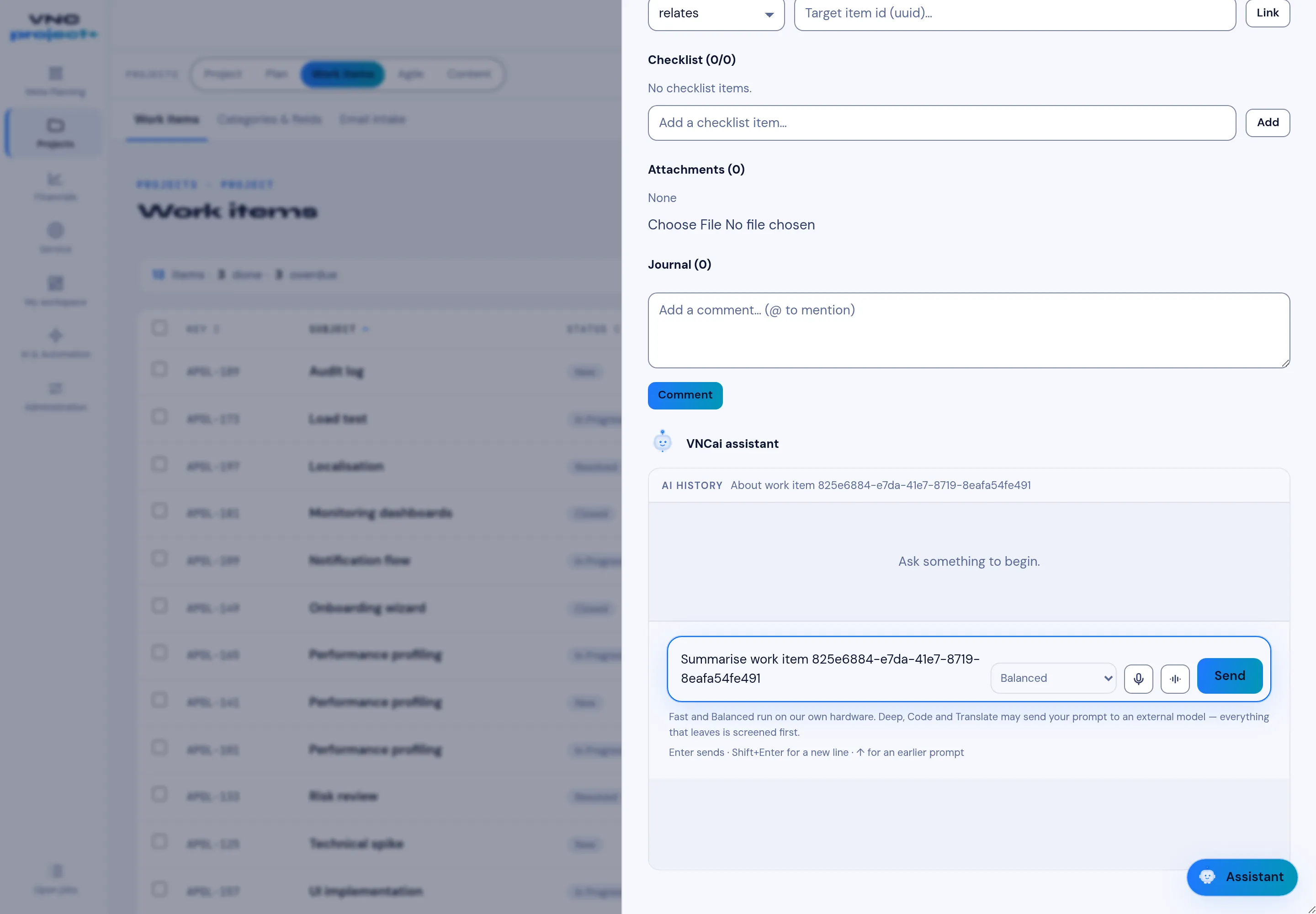
The work-item panel
Opening a work item shows its detail panel beside the list.
Sections
Section titled “Sections”| Section | What it does |
|---|---|
| Checklist | Sub-steps with a done / total counter; add one with Add a checklist item… → Add. |
| Attachments | Files on the item — Choose File, then upload. |
| Journal | The item’s history and comments; type in Add a comment… and use @ to mention a colleague — a mentioned person is notified and the mention is highlighted — then Comment. |
| VNCai assistant | Ask an AI about the item (below). |
Editing the item
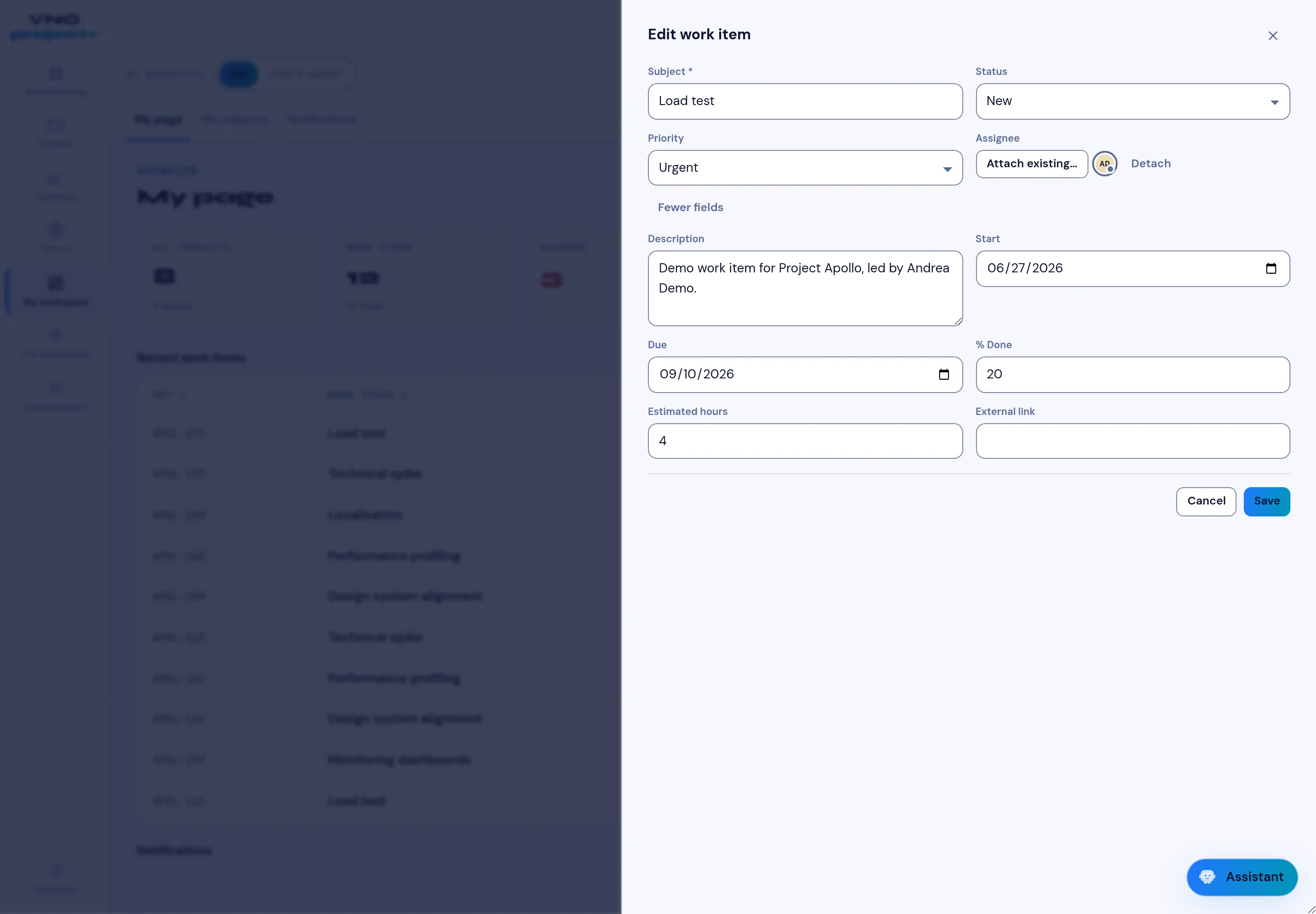
Section titled “Editing the item”Edit opens the work item’s form. The common fields sit at the top — Subject, Status, Priority and Assignee — and More fields reveals the rest: Description, Start, Due, % Done, Estimated hours and External link (a URL to a related resource outside VNCproject). Save applies the change, and every change is recorded in the Journal.
The VNCai assistant
Section titled “The VNCai assistant”The panel shows the item’s conversation history and a prompt box. The engine selector chooses how the answer runs:
- Fast and Balanced run on our own hardware.
- Deep, Code and Translate may send the prompt to an external model — everything that leaves is screened first.
Press Send (or Enter; Shift+Enter for a new line, ↑ for the previous prompt). The mic and speaker buttons dictate and read the answer.