First steps with VNCmail
By the end of this tour you will have sent a message, read a reply and found it in search.
1. Open Mail
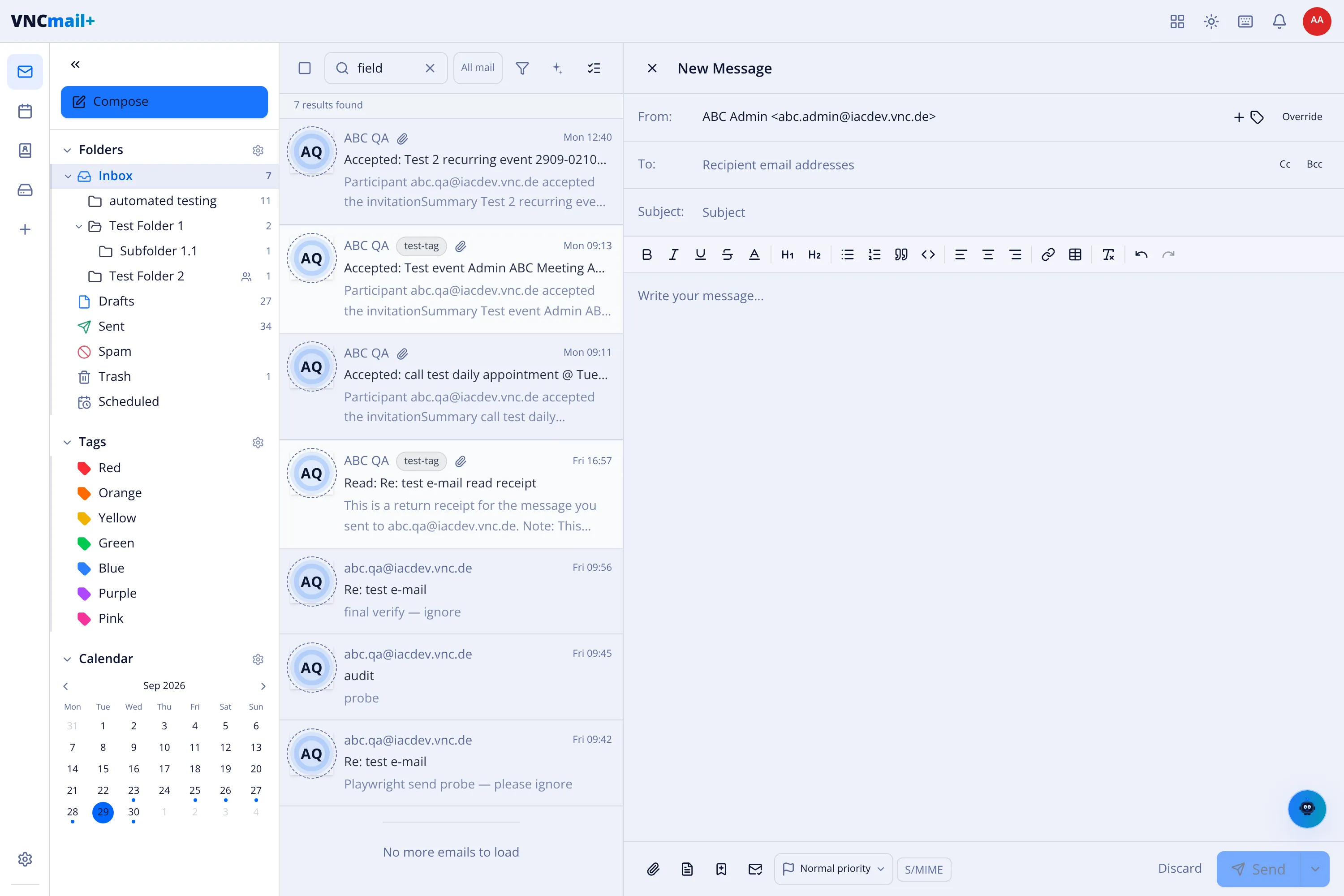
Section titled “1. Open Mail”Open VNCmail from the portal. The left sidebar holds your folders, tags and calendar; the middle column is the message list.
2. Send a message
Section titled “2. Send a message”Select Compose (or press c), fill To and Subject, write the message and select Send.
3. Read and search
Section titled “3. Read and search”Select a message to open it. To find something later, type in the search box at the top — results are counted as you type.
4. Check your calendar
Section titled “4. Check your calendar”Select Calendar to see meetings alongside your mail, and Create with AI to draft an event in plain language.
What you learned
Section titled “What you learned”- Compose and send mail; the draft is kept if you close the composer.
- Search across your mailboxes.
- The calendar shares the same account.