Find your way around a board
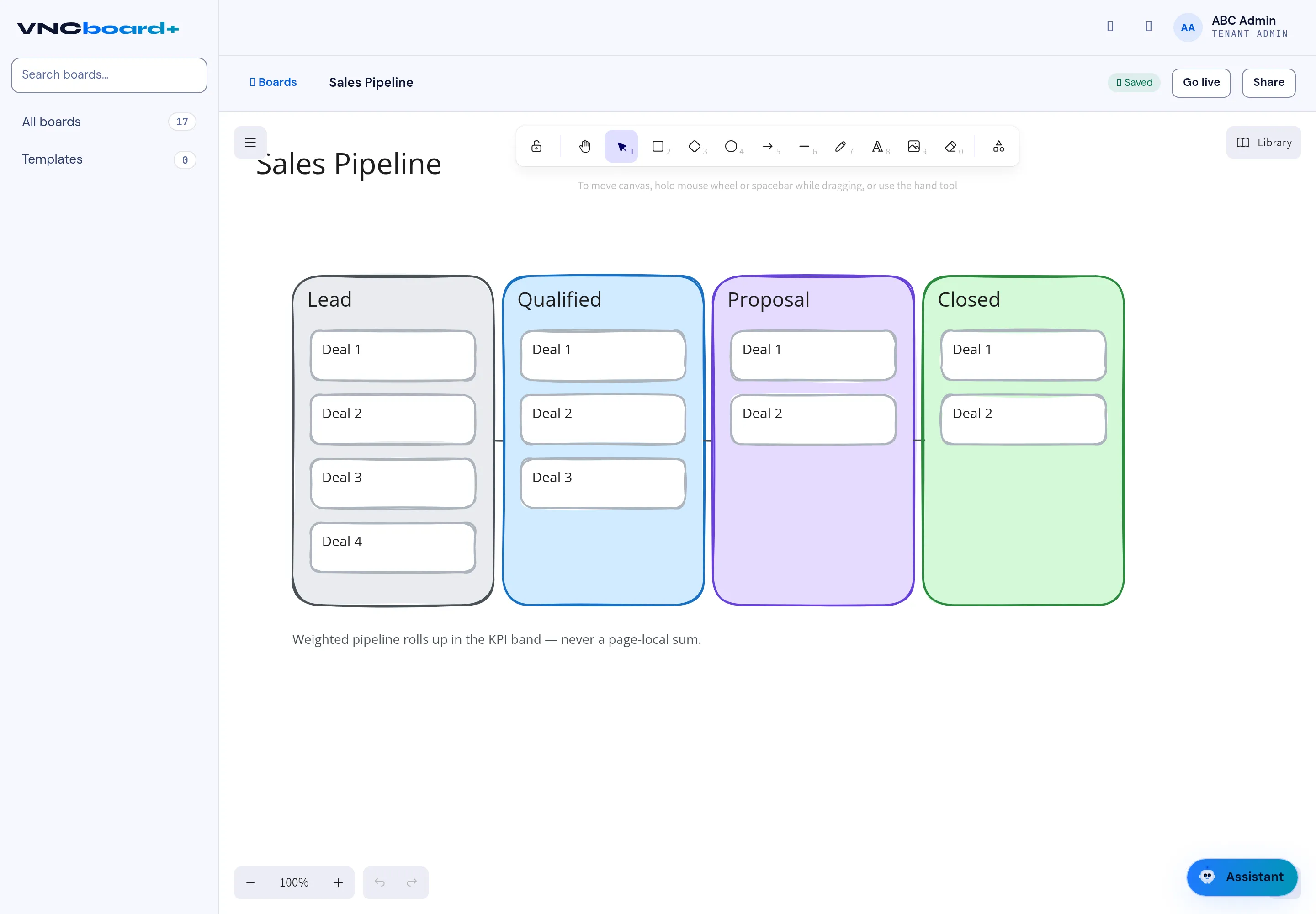
A board is an infinite canvas. This is the layout you land in when a board is open.
-
Open a board from All boards — its name appears top left, with Boards to go back.
-
Draw on the canvas with the toolbar across the top:
Tool Draws Select / Hand Pick or pan — hold the mouse wheel or spacebar to pan. Rectangle / Diamond / Ellipse Shapes. Arrow / Line Connectors. Draw / Text Freehand and labels. Image / Frame Paste an image, group content in a frame. -
Use Undo / Redo (bottom left) and + / − to zoom; the percentage shows the current zoom.
-
Select Saved: every change is saved as you work.
-
Select Share to give others access, or Go live to start a live session.
-
Select Library (top right) to place saved components and shapes.
Result
Section titled “Result”Your board is a shared document. Others editing at the same time see your changes live.